ROI Annotation (regrender roi)#
Label cells/ROIs on raw histology, then project them into Allen CCF space and render with brainrender. The workflow order is roi → register → project: ROIs are marked on the full-resolution raw image (in raw pixel coordinates, no registration needed yet), and the saved registration transform is applied later to project them into the atlas.
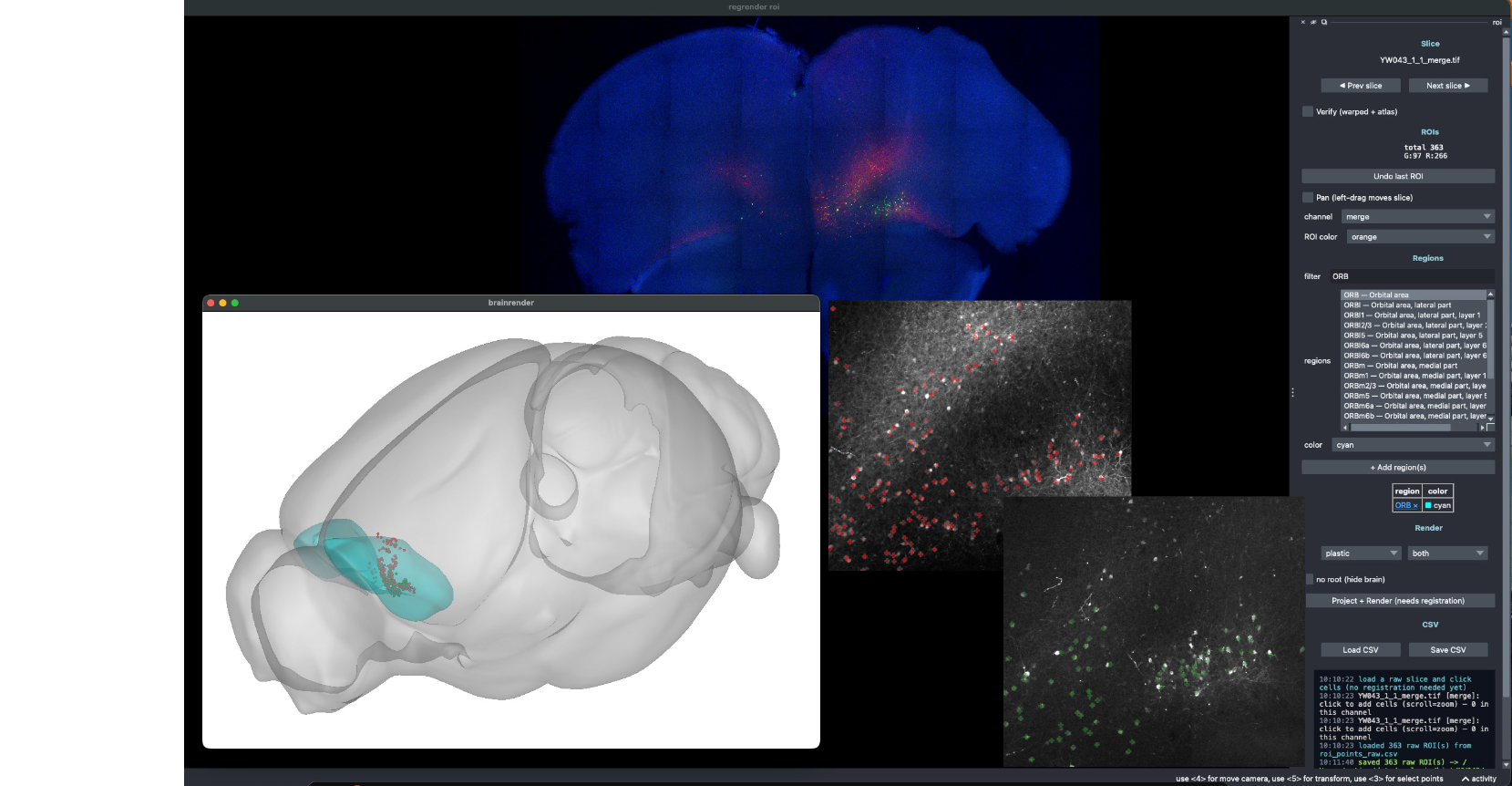
Labeling cells per channel (right), with projected ROIs rendered in 3D via brainrender (left).#
Labeling#
regrender roi -D <slices_dir>
In the napari GUI:
Step through serial sections with Prev/Next.
Choose the channel to label (
merge/R/G/B) for multi-channel images.Click cells to add ROIs; they are saved to
roi/roi_points_raw.csvin raw pixel coords.Verify warps the slice into atlas space (once registered) to show where ROIs land.
Projecting & rendering#
After the slices are registered with regrender register, project the raw ROIs into CCF
space and render:
In the GUI, click Project + Render, or
Run headless:
regrender roi --project --render -D <slices_dir>
Projection writes roi/roi_points_ccf.csv (adds AP/DV/ML_location mm + region acronym),
then shells out to neuralib.atlas.brainrender.roi to render one color per channel.
Options#
Option |
Meaning |
|---|---|
|
Folder of serial sections (reads |
|
Single image (alternative to |
|
Where the |
|
Output CSV path (default |
|
Headless: project a saved raw-ROI CSV into CCF space (no GUI). |
|
With |
|
Rendered ROI sphere radius in µm (default |
|
Rendered ROI point color (default |