Probe-Track Reconstruction (regrender probe)#
Reconstruct electrode/probe shanks from dye labels on registered slices, then render them in
3D with brainrender. Requires the slices to be registered first (regrender register).
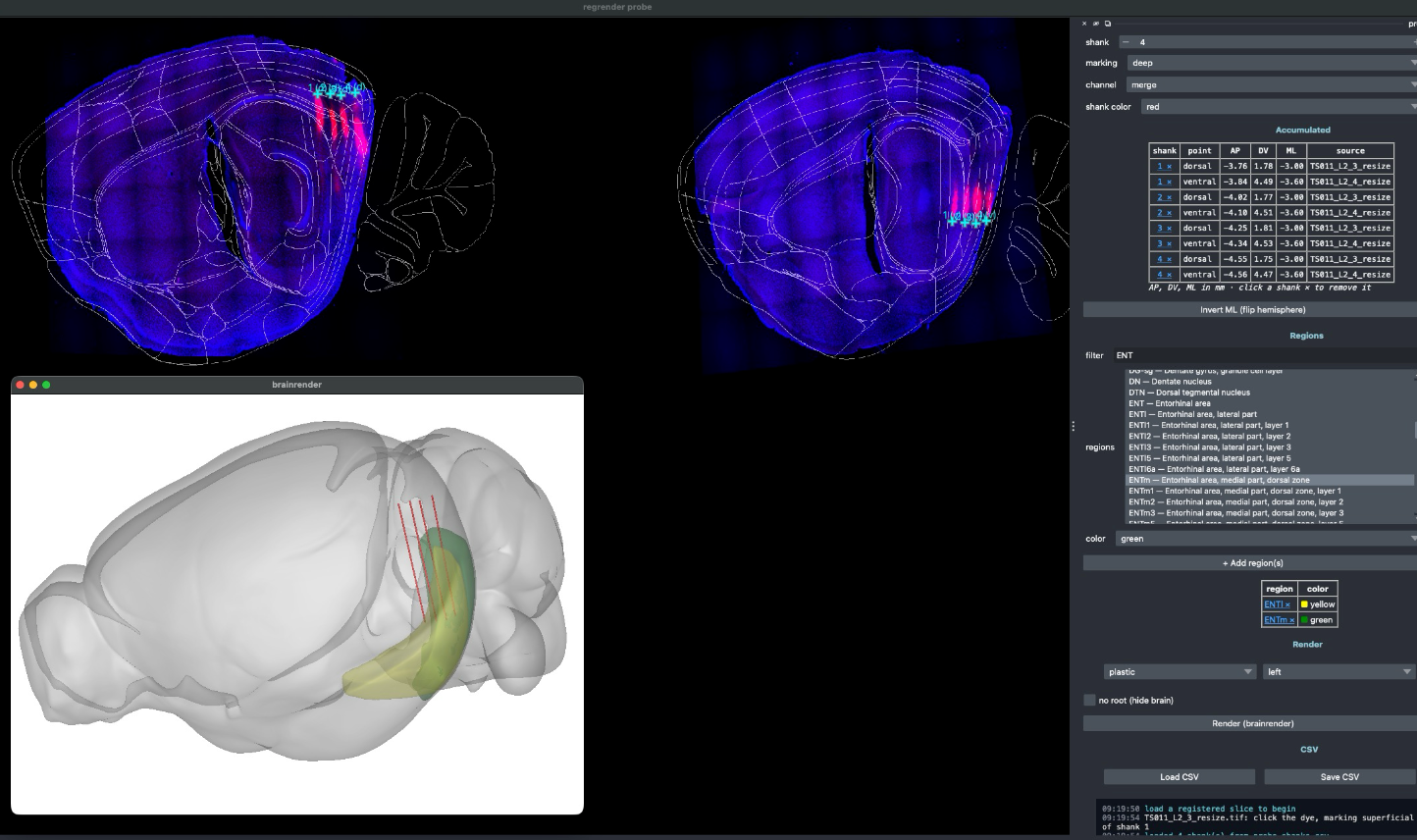
Dye points picked per shank on registered slices (top), reconstructed shanks rendered in 3D (left).#
# dye-only reconstruction
regrender probe -D <slices_dir>

# add a theoretical track: 4000 µm implant depth, contacts every 20 µm
regrender probe -D <slices_dir> --depth 4000 --interval 20
Workflow#
Each slice’s *_transform.json is loaded and the histology is re-warped into atlas space.
Step through serial sections and, for each shank, click the superficial (dorsal) and deep (ventral) dye point. Each click is converted to bregma-relative CCF (AP, DV, ML) mm.
Assign per-shank colors, optionally pick atlas region meshes to render, and flip the ML hemisphere if needed.
Render shells out to
neuralib.atlas.brainrender.probe:dye-only by default, or
with a theoretical track when
--depth(and optionally--interval) is set.
Picked points are saved to probe_shanks.csv (ap_mm, dv_mm, ml_mm,
probe_idx, point, source).
Tip
The view selector switches between single (one section at a time) and all (every
registered slice tiled into one mosaic, so a shank spanning several sections can be picked
without paging back and forth). Clicks are mapped back to the correct section automatically.
Hold Shift and left-drag to draw a ruler — a draggable line that reads out its length in mm with 0.5 mm ticks (single-slice view only).
The Region profile plot button samples each shank dorsal→ventral and shows which Allen
region every depth band falls in (colored by the atlas), with a euclidean-mm ruler from the
surface; with --depth set it extrapolates the dye line to that depth. It writes
probe_region_profile.pdf and probe_region_profile.csv.
Options#
Option |
Meaning |
|---|---|
|
Folder of serial sections (reads |
|
Single registered image (alternative to |
|
Where the |
|
Output CSV path (default |
|
Implant depth in µm; if set, render adds the theoretical track (else dye-only). |
|
Contact interval in µm along the theoretical track (used with |